







A shared desktop charging station simplifies cable organization, while individual chargers offer flexibility and separate failure points. For an office or hotel, the better choice depends on where people charge, which devices they bring and who maintains the equipment. Compare the complete installation and its operating limits before purchasing a device on the strength of its port count or advertised total wattage.
Separate private desks from shared charging areas
A fixed station can suit a reception counter, meeting table or shared workstation where several devices charge in one place. Individual adapters can suit separate rooms or employees who carry a laptop charger between locations. A central station may reduce clutter at one table while creating inconvenience if users must leave their devices there. Start with the actual workflow rather than assuming that consolidation always improves service.
Record the number and types of devices, available outlets, cable routes and the expected charging period. A brief guest visit differs from an overnight stay. Confirm whether phones, tablets and laptops need charging simultaneously. Hotel staff also need a procedure for lost cables, damaged ports and accessories left behind. These operational questions determine whether a shared station remains useful after installation.
Read the simultaneous output table
Total advertised output is not necessarily the output available from every port at once. A charger may allocate power differently as devices connect. Read its documented combinations, including which port supplies the required laptop profile when other ports are occupied. A station rated for a large combined output may still be unsuitable if a particular laptop needs a profile that the intended port does not provide.
The USB-IF USB Power Delivery information explains the standards context. USB Power Delivery requires compatible equipment; a high-wattage label alone does not establish the complete charging arrangement. Consider how multi-port chargers distribute power when specifying simultaneous use.
Compare the two approaches by maintenance needs
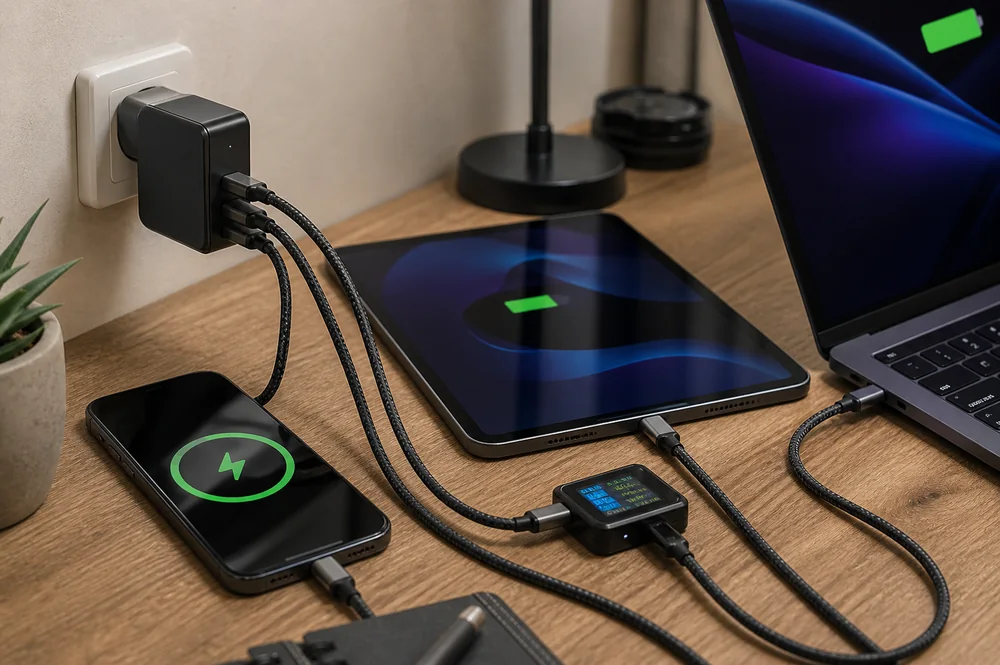
Individual chargers isolate a damaged adapter from the rest of the installation. They can also be easier to move or replace for a specific guest. Their disadvantages include more outlet occupancy, more loose equipment and a greater chance that a cable or adapter goes missing. Standardized spares help, but only if staff can identify the correct charging role and connector.
A shared station can make equipment easier to inspect and cables easier to organize. Its central position can also become a single point of inconvenience if the station fails. Ask how a failed unit will be taken out of service and what temporary alternative is available. Do not leave a suspect charger operating simply because several guests depend on it.
Choose cables separately from the charger
Match each cable’s connector, power rating and required data behavior. A cable that charges a phone successfully may not support the power needed by a laptop. The USB-IF USB Type-C information provides interface context, but a connector’s shape does not prove every cable capability.
The PISEN IceLink Series 60W Type-C to Type-C Charging Cable LT-CC28-1200 is a catalog example to check against the intended charging role. Route cables with enough slack for ordinary handling, protect them from chair wheels and drawers, and label different ratings where users share equipment. Avoid tight bends or tension at a connector.
Keep charging surfaces accessible and ventilated
Place equipment on a stable surface consistent with its instructions. Keep ventilation paths clear and avoid bedding, piled paperwork or covered storage while charging. In a hotel room, check whether the adapter remains accessible without reaching behind heavy furniture. At a meeting table, check whether people can connect devices without pulling cables across walking paths or spilling drinks onto the station.
A charging station with mains sockets needs additional attention to its socket and combined-load limits. Do not treat a USB power rating as a rating for every connected mains appliance. Follow local electrical requirements and the manufacturer’s installation instructions. Facilities staff should assess unsuitable outlets, damaged sockets or permanent wiring issues rather than attempting to resolve them by adding more adapters.
Compare catalog models without inferring unstated features
A combined station example is the PISEN 140W GaN Magnetic Wireless Charging MagStation 8-in-1 Socket Set KF27. Confirm its exact version, input, socket limits, wireless compatibility and simultaneous output table before specifying it for a property. Its name is a starting point for comparison, not proof that every guest device will work.
For individual or smaller-group charging, compare the PISEN BOLT Lite 30W 1-Port GaN Fast Charger TP-C62, PISEN Pro PD45W Fast Wall Charger (2C)(US) TS-C152 and PISEN Global Travel 100W 5-Port GaN Fast Charger TP-C95. Verify current specifications and regional plugs individually.
Run an acceptance check with representative devices
Begin with one known compatible device and cable, then add the expected simultaneous loads. Observe whether charging stays stable when another device connects. Check connector seating, ordinary cable movement and the equipment’s behavior over a representative session. Record the setup, device models and limitations so staff can reproduce a reported problem. Do not deliberately overload equipment or obstruct cooling to test safety protections.
Make the purchase decision measurable
Write a simple staff inspection routine. Check for cracked housings, loose plugs, exposed conductors and unusual heat reports. Remove suspect equipment from service and label it so another shift does not reconnect it. Cleaning must follow the equipment’s instructions, with power disconnected and moisture kept out of electrical openings. A neat charging corner still needs ordinary safety and maintenance checks.
For shared guest facilities, make the intended use clear without promising compatibility with every device. Identify supplied cable types and provide a route for reporting damaged equipment. Avoid requiring users to install an app or disclose unnecessary personal information simply to charge a phone. These practical details can matter as much as a small difference in charging speed.
Compare equipment cost, spare cables, replacement availability, inspection time and the consequences of a failed unit. Track actual damage, missing accessories and guest complaints during a limited rollout. Choose the arrangement that meets the documented device requirements and remains easy to maintain. Neither a centralized station nor a set of individual chargers is automatically the cheaper or more reliable option in every property.